
The Quiz Save And Resume For LearnDash add-on gives your students the flexibility to pause long quizzes, save their answers, and resume—or completely restart—their progress at any time, directly from where they left off or a centralized dashboard.
Installation #
- Install the LearnDash plugin & activate it.
- Install the Quiz Save and Resume For LearnDash add-on and activate it.
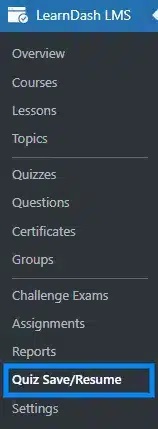
- There will be a new “Quiz Save And Resume” menu added under the LearnDash menu.
License #
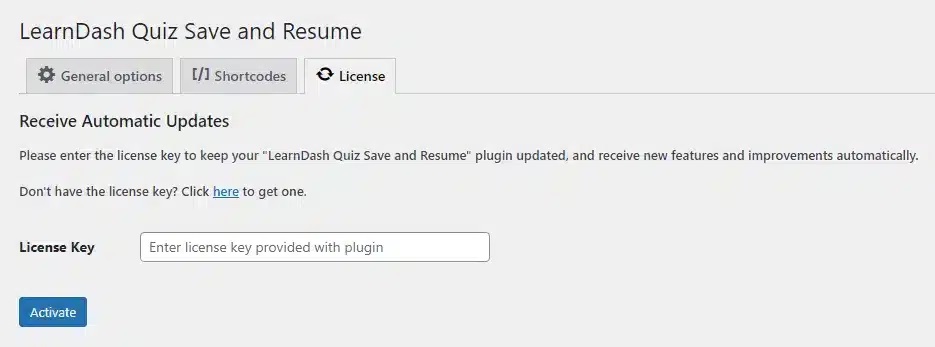
License activation is required to unlock all plugin features, as they are protected and only accessible after verifying a valid license. Navigate to the License tab, enter your license key in the field, and click Activate License. Your license key can be found in the email received when you purchased the add-on.
Enable Quiz Saving & Re-Start #
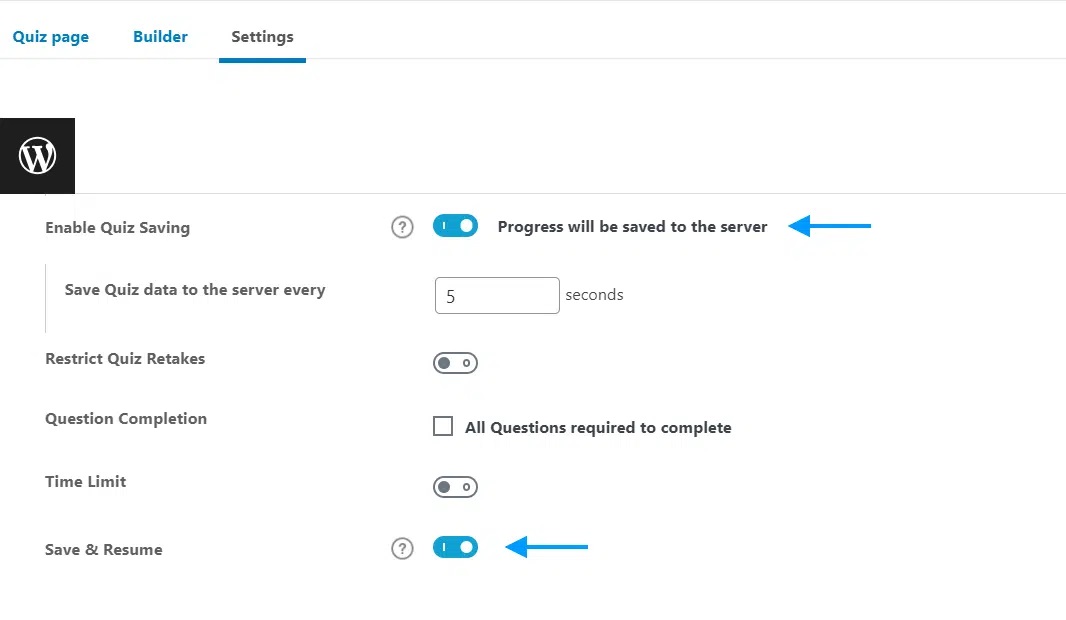
To enable the core features for your students, you must configure this on a per-quiz basis.
- Navigate to LearnDash LMS > Quizzes and select the quiz of your choice to Edit.
- Go to the quiz’s Settings tab.
- Scroll down and enable the native Enable Quiz Saving toggle.
- Right underneath it, enable the Re-Start Button toggle if you want students to be able to clear their progress and start over.
- Click on the Update button to save changes.
General Settings #
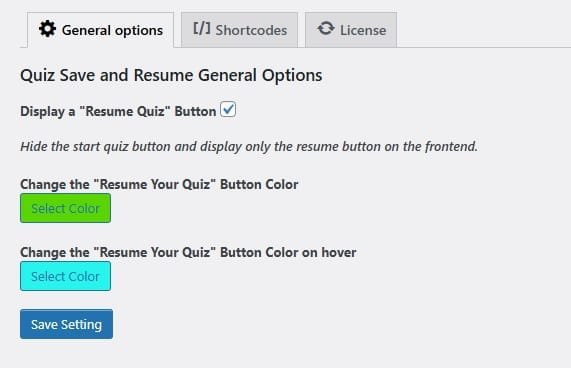
The General Settings tab is divided into three logical sections: Resume Button Settings, Restart Button Settings, and Debug Settings.
1. Resume Button Customization #
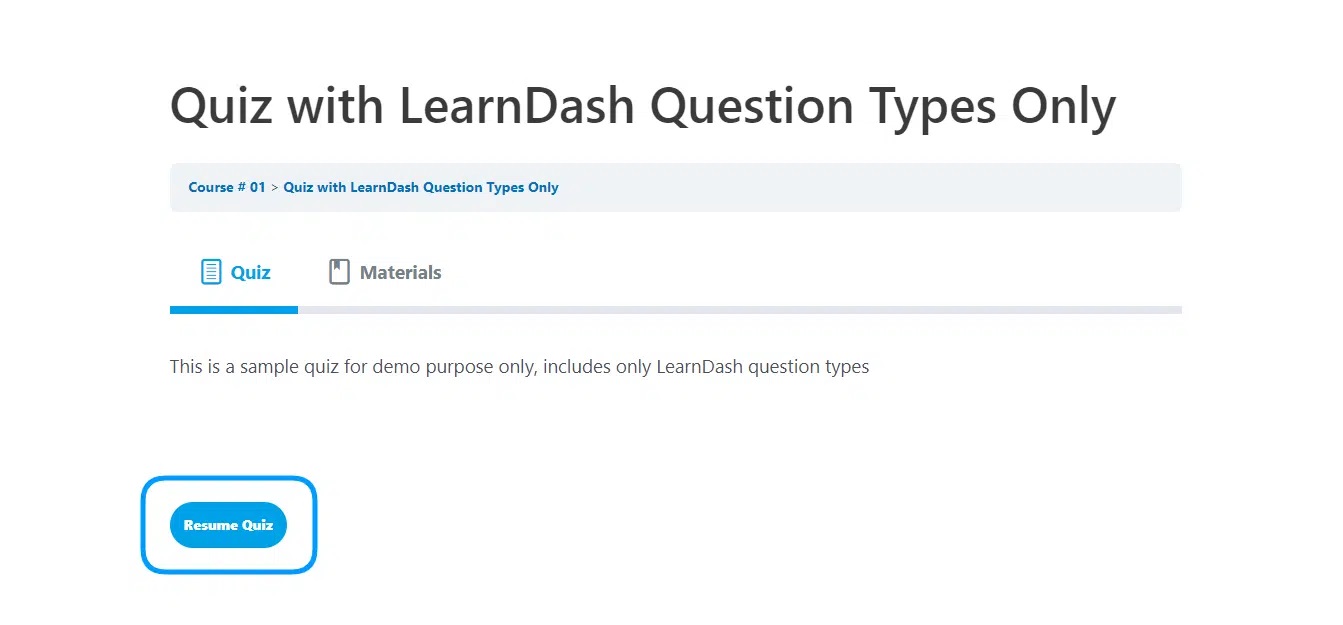
- Button Text: Customize the text label of the Resume button (e.g., “Resume Your Quiz”).
- Button Background Color: You can change the background color of the “Resume Quiz” button using the color picker. Alternatively, you can directly enter a HEX, RGB, or HSB color code into the input field.
- Button Text Color: Set the color of the text inside the Resume button.
2. Re-Start Button Customization #
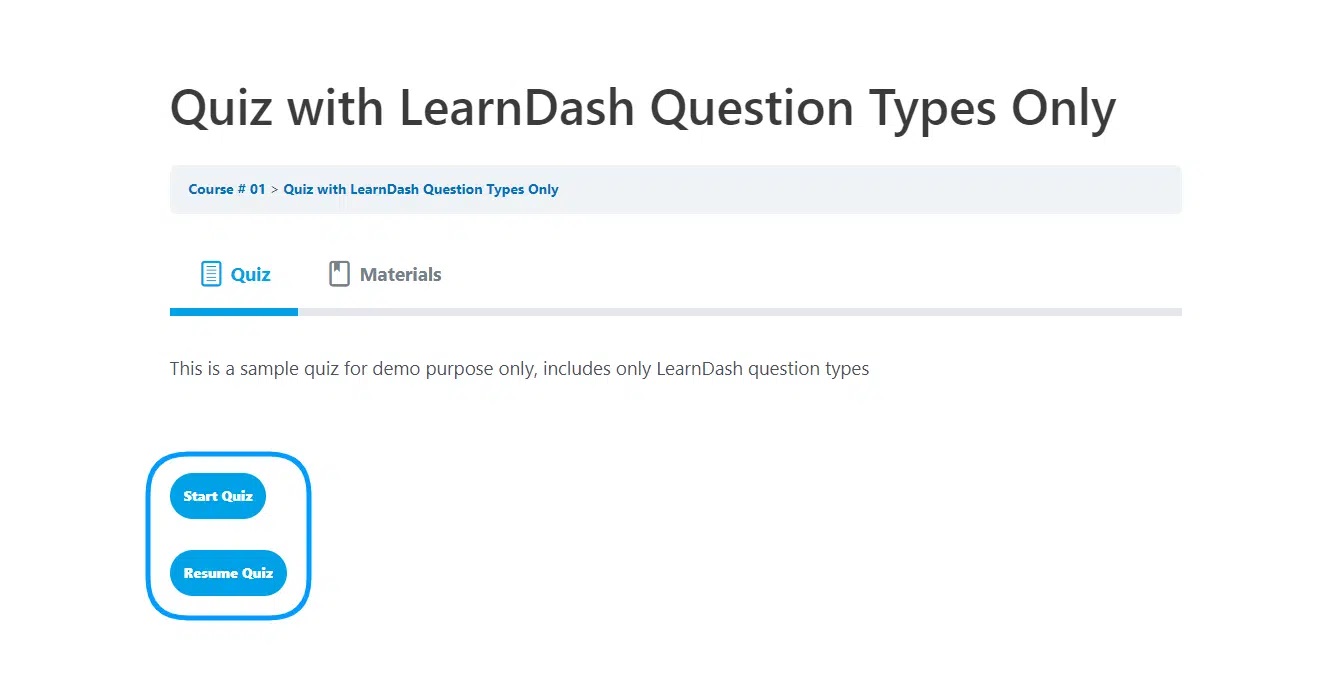
- Button Text: Customize the text label of the Re-Start button (e.g., “Start Over”).
- Button Background Color: You can change the background color of the “Re-Start Quiz” button using the color picker. Alternatively, you can directly enter a HEX, RGB, or HSB color code into the input field.
- Button Text Color: Set the color of the text inside the Re-Start button.
4. Debug Settings #
- Enable Debug Logs: Activate detailed background logging to track internal operations, errors, and system events. Essential for troubleshooting.

- Debug Logs Retention (Days): Specify the number of days to keep debug logs before they are automatically deleted to save storage space.
Note: The “Debug logs” tab will dynamically become visible in the main settings menu only after you have enabled Debug Logs and saved your settings.
Debug Logs #
The “Debug Logs” tab displays detailed logs that provide a comprehensive overview of internal operations.
System Information #
The “System Information” tab showcases your server and system specifications for support purposes.
Shortcodes #
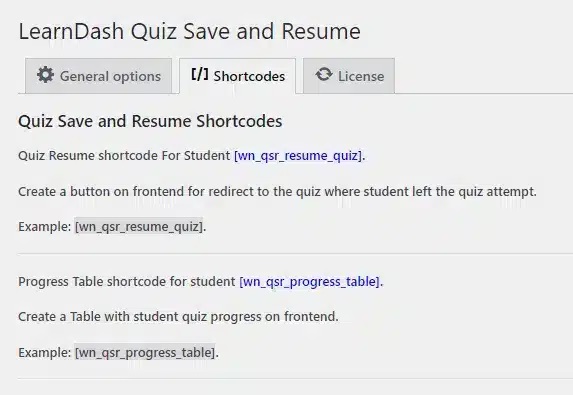
There are 3 shortcodes available with this add-on. You can use these shortcodes on any page, post, or course where you want to display the custom Resume/Restart buttons or the incomplete quizzes table:
[wi_qsarfld_inprogress_quizzes_table]This shortcode will create a beautiful, responsive table on the front end that displays the logged-in student’s incomplete/paused quizzes, including start dates and direct action links to resume or restart them.
In-Progress Quizzes Table Frontend:
[wi_qsarfld_quiz_resume_button]This shortcode will create a standalone “Resume” button that you can place anywhere (custom pages, sidebars, etc.). It automatically detects if the student has a paused session for the current quiz and links them back to it.
Quiz Resume Button Frontend:
[wi_qsarfld_quiz_restart_button]This shortcode will create a standalone “Re-Start” button, allowing students to instantly wipe their saved progress and start the quiz fresh from anywhere you place the shortcode.
Quiz Restart Button Frontend:
FAQ’s #
Can a student resume a quiz on a different device?
Yes, the quiz progress is securely saved to their user profile in the database, allowing them to resume the quiz seamlessly from any device as long as they are logged in.
How do I display a list of a student’s incomplete quizzes?
You can easily display an organized table of a student’s incomplete quizzes by placing the [wi_qsarfld_inprogress_quizzes_table] shortcode on any page. It will automatically detect the logged-in user and display their paused quizzes with links to continue or restart.
Can I change the colors and text of the Resume and Restart buttons?
Yes! The plugin provides global settings in the WordPress backend where you can easily customize the text labels, text colors, and background colors of both buttons to match your branding perfectly.
Does the “Re-Start” button delete previous completed attempts?
No, the Re-start feature specifically clears the current in-progress saved data, allowing the student to start that specific unfinished attempt from scratch. It does not delete their past fully completed and graded attempts.
Can I place the resume button on a custom page?
Absolutely. You can use the [wi_qsarfld_quiz_resume_button] shortcode and [wi_qsarfld_quiz_restart_button] to place the buttons anywhere on your site, giving you total flexibility over your course layouts.
How do I enable the “Re-Start” button on my quizzes?
It’s very simple. Go to the Edit screen of the specific LearnDash Quiz, navigate to the Settings tab, and scroll down to the native “Enable Quiz Saving” toggle. Right underneath it, you will see a new toggle for the Re-Start Button. Simply enable it!
Why is the Resume or Re-Start button not showing on the quiz page?
If the Resume button is missing, ensure you have enabled the native “Enable Quiz Saving” toggle in the settings tab of your selected quiz. If the Re-Start button is missing, ensure you have also enabled the “Re-Start Button” toggle (which is located right beneath the quiz saving setting).
If I restart work on a quiz, what part of the quiz will the quiz resume?
The quiz will seamlessly resume exactly from the last answered question you saved.
Does the add-on work with the LearnDash Randomize Question Option?
Currently, this feature isn’t available in the add-on. However, we plan to add this capability in upcoming releases.
Is this addon compatible with the “Retake Quiz For LearnDash” addon?
Currently, our plugin is not compatible with the Retake Quiz For LearnDash addon.
Changelogs #
1.3.3
- Fix: Addressed security vulnerabilities and improved overall security.
- New: Redesigned the user interface for the Admin General Settings page.
- New: Updated the UI for the Progress Table shortcode displayed to students.
1.3.2
- New – Added option for users to customize the “Resume Your Quiz” button color and hover color.
1.3.1
- Fix – Resolved multiple deprecated function issues related to LearnDash’s latest update.
- Fix – Ensured compatibility with LearnDash’s new quiz saving mechanism for the Save & Resume feature.
- New – Improved stability and performance for quiz data persistence.
1.3.0
- New – Ability for users to view and modify previous answers.
1.2.8
- Fix – Fixed warning on certain WordPress pages.
1.2.7
- Fix – Fixed issue quiz numbering wrong label and questions.
- Fix – Fixed issue LearnDash quiz label not working with our plugin.
1.2.6
- Fix – Fixed issue correct incorrect message not showing on check status.
1.2.5
- Fix – Fixed issue of check button not saving the question data.
1.2.4
- Fix – Fixed issue of quiz start button clicking two times.
1.2.3
- Fix – Fixed shortcode not working with save and resume.
- Fix – Resume button settings issue.
1.2.2
- Fix – Fixed start quiz button issue.
1.2.1
- Fix: Fixed the license key activation issue.
1.2.0
- New – Added quiz data table shortcode.
- New – Added the Hide Start Quiz button option.
- New – Added the resume quiz button shortcode.
- Fix – Fixed the start quiz button issue.
1.1.3
- New – Added the option to hide the start quiz button.
- Fix – Fixed the start quiz button issue.
1.1.2
- New feature resume quiz button shortcode.
- Fixed minor issues.
1.1.1
- Fix – Added sanitization on saved data before resume.
- Fix – Fixed the License issues.
1.1.0
- New – Added resume button.
- New – Added learndash_quiz_resume_enabled filter hook to check if resume toggle in the addon is active if it’s activated – it enables resume.
- New – Added learndash_quiz_resume_cookie_send_timer filter hook to check if resume toggle in the addon is active if it’s activated it extract the cookie of time elapsed.
- New – Added learndash_quiz_resume_data filter hook to check if resume toggle in the addon is active if it’s activated it extract the quizzes answered.
- Fix – Javascript error while saving the Fill in the blank Question.
- Fix – Make Textarea accept special characters “/n /r /t”.
- Fix – compatibility issues with the latest versions or LearnDash and WordPress.
- Fix – Added wpProQuiz_front.js file for removing the restart function in LearnDash so when button start is clicked it delete all the cookies of resume.
- Fix – All functions that are not necessary were deleted at LearnDash 3.5
- Fix – Event click of the buttons “start quiz” and “resume quiz”.
1.0.1
- Fix – License activation.
- New – Buttons translations support.
1.0.0
- Initial Release.


